MinVerse vs. Other 3D Tools: The Ultimate Haptic and 3D Input Technology
How does the MinVerse compare to the Novint Falcon, the 3Dconnexion SpaceMouse, VR controllers, the 3D Systems Touch, haptic gloves, and graphics tablets? A device-by-device look at where force feedback changes the game for 3D work.
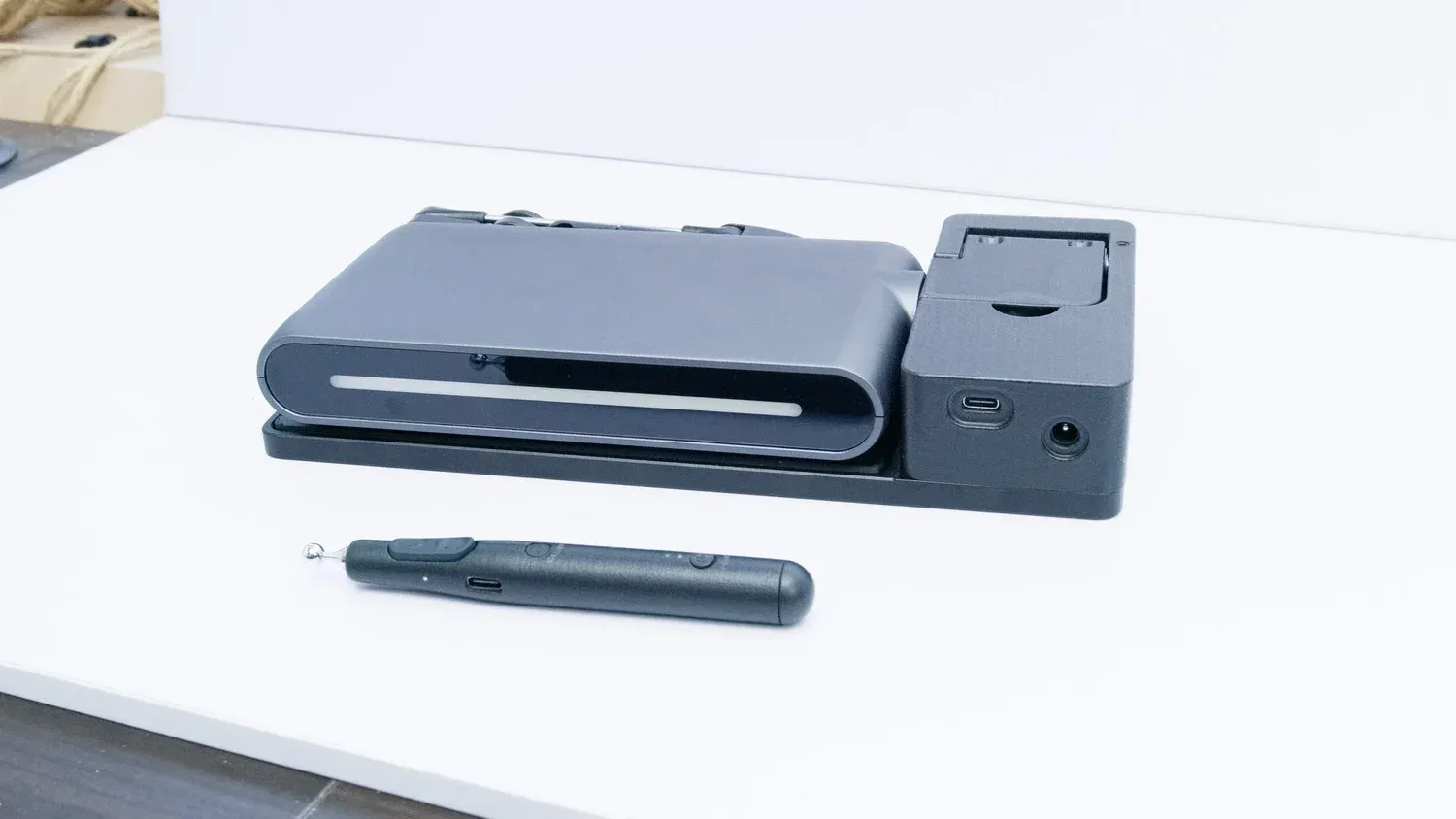
Originally published on haply.co — the canonical version of this article.
Choosing the right tool for 3D interaction can be challenging, especially with so many options available. From traditional 2D mice to VR controllers and graphics tablets, each device has its strengths. The MinVerse is designed to provide force feedback and a more versatile experience. Here’s how MinVerse compares to other popular devices in the market.
The MinVerse vs. Novint Falcon Game Controller
The Novint Falcon was a pioneering force-feedback device, but it was ahead of its time, launching before a fully developed 3D software ecosystem could support widespread adoption. While primarily designed for gaming, it lacked deep integration with professional 3D tools.
The MinVerse, on the other hand, benefits from significant advancements in 3D software, game engines, and VR/XR technologies, making its haptic feedback far more relevant and functional today. With native integrations for modern software like Blender, Unity, and RoboDK, the MinVerse is built for serious 3D workflows — not just gaming. Its compact, ergonomic design and customizable handle options also provide greater versatility compared to the Falcon’s bulkier, fixed design.
The MinVerse vs. 3Dconnexion SpaceMouse
The 3Dconnexion SpaceMouse is excellent for 3D navigation, but it lacks true touch feedback — users can manipulate objects in 3D space, but they can’t feel them.
The MinVerse goes beyond navigation, allowing users to physically experience virtual objects. With force feedback, texture simulation, and resistance, users can feel the tension of a stretched spring, the roughness of a surface, or the weight of an object. This makes interactions far more immersive and intuitive for 3D artists, engineers, and designers working in Blender, CAD software, VR, robotics, and gaming. Also, while the SpaceMouse is strictly a navigation tool, the MinVerse is a fully interactive device, enabling direct object manipulation, sculpting, simulation, and real-time physics interactions.
The MinVerse vs. VR Controllers
Most VR controllers offer only basic vibration-based haptics, which are primarily used for notifications or simple feedback rather than precise tactile interactions. In contrast, the MinVerse provides advanced haptic feedback, allowing users to experience:
- Textures – Gritty sandpaper, smooth metal, ridges of a 3D model
- Forces & Resistance – Soft elasticity, stiff springs, friction, weight
- Attraction & Repulsion – Magnetic effects, snaps, and locks
- Rotational Feedback – Torque, pivot points, mechanical resistance
This level of touch interaction goes far beyond what VR controllers offer, making it ideal for applications like simulation, virtual prototyping, 3D modeling, and robotics control. Additionally, the MinVerse is ergonomically designed for extended use at a desk, whereas VR controllers are optimized for handheld motion and can lead to fatigue over long sessions. This makes the MinVerse better suited for precise workflows where accuracy and comfort are essential.
The MinVerse vs. 3D Systems Touch
The 3D Systems Touch is a haptic device designed for sculpting and modeling, but it comes with higher costs, limited ergonomics, and fixed handle designs. The MinVerse improves upon this by offering:
- A more affordable, consumer-friendly price point
- A larger interactive workspace for a wider range of motions
- Customizable handles to adapt to different workflows (precision control, sculpting, VR applications, robotics)
- An ergonomic design with wrist support, reducing strain during long work sessions
While the Touch is primarily targeted at professional 3D sculpting, the MinVerse is a versatile device designed for 3D design, gaming, VR, robotics, and simulation — making it a more accessible and adaptable tool.
The MinVerse vs. Haptic Gloves and Graphics Tablets
Haptic gloves are designed for full-hand interactions in VR and AR environments, often used for gesture-based control and force-feedback experiences. However, they come with significant drawbacks: high cost and extensive setup, calibration and tracking limitations from reliance on external sensors, and fatigue over long sessions since they are not optimized for desk use. The MinVerse instead provides precision control for 3D modeling, robotics, CAD, and game development; consistent, repeatable interactions that don’t depend on hand gestures; strong haptic force feedback delivering realistic textures, resistance, push/pull forces, and material properties with a higher level of accuracy than most gloves; and seamless desktop integration without hand strain or tracking issues.
Graphics tablets (like Wacom and Huion) provide pen-based input for drawing and digital design. They simulate pressure sensitivity, but provide no actual tactile feedback — artists can’t feel the textures or resistance of their strokes. The MinVerse offers a completely new dimension to digital creation: feel what you create (the softness of clay, the roughness of a canvas, the tension of a stretched fabric), interact in true 3D space with 360-degree movement, and experience physics-based resistance like elasticity, friction, and mass. For illustrators and 2D artists, a graphics tablet remains the standard. But for 3D designers, sculptors, engineers, and simulation developers, the MinVerse delivers an immersive, hands-on creative experience that traditional tablets cannot match.
Why MinVerse is the Future of 3D Interaction
MinVerse is not just another input device—it represents a major leap forward in 3D interaction. By combining precise haptic feedback with modern software integration, it creates a more immersive and intuitive experience for users across multiple industries.
Its versatility extends across gaming, robotics, CAD design, digital sculpting, and simulation—making it an essential tool for professionals and creators alike. Unlike other devices that serve niche purposes, MinVerse bridges the gap between tactile engagement and digital manipulation, opening new possibilities for workflow efficiency and creativity.
Get your MinVerse today!